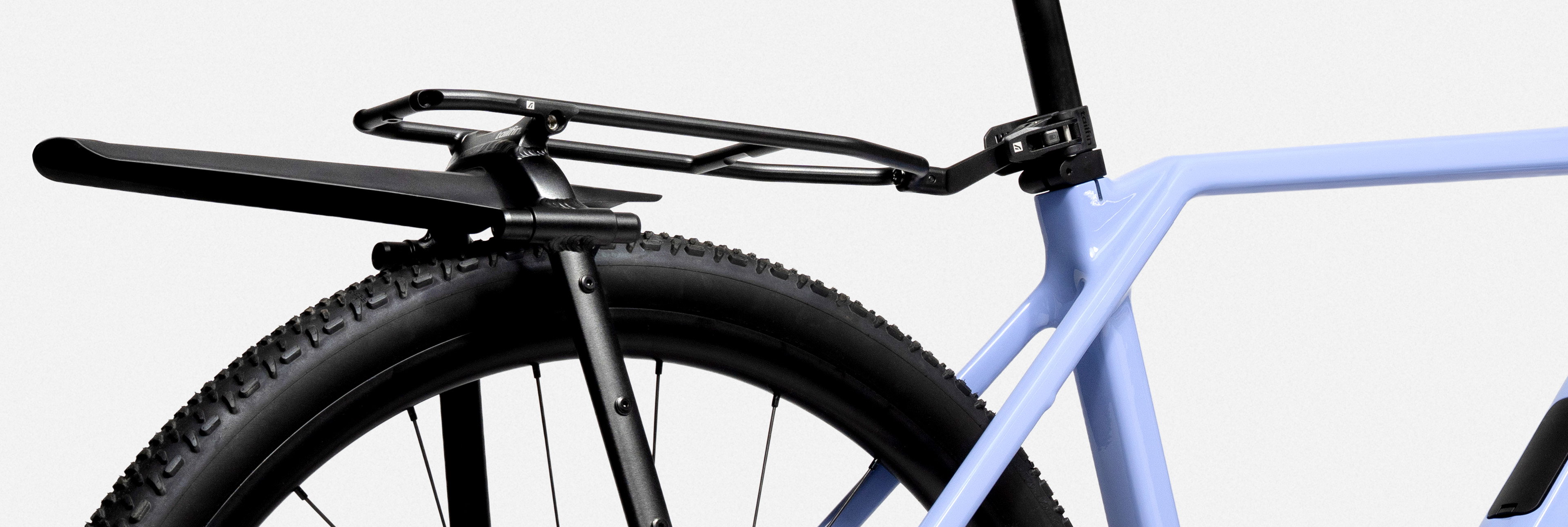
Note: This guide references our CargoPack – formerly known as the AeroPack.
Introduction
The Specialized Roubaix is an endurance road bike, which, in Specialized’s words, is “lighter, faster, and smoother than any road bike ever made”, and is a firm favourite among Tailfin riders, too. The frames have undergone some changes since their introduction. This is a guide for fitting your fixed SpeedPack to the Roubaix, and it applies to other Roubaix models too.
The bike shown is a 2025 Specialized Roubaix SL8 Expert, size 54cm

Configure your Tailfin Order
In this example, we’re showing the Fixed Carbon SpeedPack with pannier mounts, but all our alloy and other Rear Systems are also compatible with the Roubaix. For fitting to bikes with suspension, or when riding rougher trails, we recommend the Fixed CargoPack/SpeedPack System, or Pannier Rack without the removable CargoPack/SpeedPack Rack Top Bag.
See our comparison guides to help choose which setup is best for you based on your riding plans.
Choosing the Right Axle
We recommend ‘Axle Mounting’ for the Roubaix, as frame mounting is not possible. Axle mounting eliminates almost all the stresses on your frame. It is the mounting approach we recommend above all others.
The Roubaix requires the 1.0mm Single Thru Axle or the Universal Thru Axle (which includes the 1.0mm part).
Before placing your order, use our Axle Guide to search for your bike. If you’re not sure, you can check for any text on the original rear thru axle or use our guides to determine the thread pitch required. We have A4 Size and US Letter guides. Print off the relevant guide, and check the current axle threads.
Specialized have maintained the same axle type for many years. If your Roubaix uses a Quick Release Axle, please select QR Axle, which is chosen during the ‘configure’ process of your Rear System.


Included in your Universal Thru Axle box is a single non-driveside part. Then, you have the four driveside parts covering the most common thread options of 1.0mm, 1.0mm ‘speed release’, 1.5mm, and 1.75mm. You can change the ends and fit your Rear System to other bikes, too.
Use the spacers to align the axle in the wheel. Choose spacers that replicate the profile of the bike’s original Thru Axle, e.g. cone spacer


Assembly
Use our Assembly Guides to put together your SpeedPack. You’ll need a Torx T25 tool, a set of Hex keys, and a torque wrench to do this.

Fitting
Now your SpeedPack is assembled, just one part remains – fitting it to your bike. To do this, you’ll need to install the new Tailfin Universal Thru Axle or Single Thru Axle and you can follow our video guides, if needed:
Follow the steps below to install the new axle
You can leave the axle fitted even without the SpeedPack attached. It’s normal for threads to show on the drive side – it is just as safe as your original axle, as the number of axle threads engaged with the frame is the same.


Attach your SpeedPack
The last step is to attach the SpeedPack to your Roubaix. It’s often easier to do this standing behind your bike.
Connect the Fast Release Dropouts around either side of the axle and secure the Seat Post Connector in place, ensuring it’s locked shut. Choose the long seatpost strap if your seat post is ‘Aero’ or “D-shaped’.


See our quick video guide on how to correctly attach the Seat Post Connector.
Now you’re ready to ride!
Optional Extras and Additional Products
You can choose to add extra items to your setup to make the SpeedPack best suited to your needs. Our Adjustable Light Mount and Mini Cage fit the rear of the SpeedPack (Fixed version only), and if you use the Garmin Varia Radar system, then you will require Garmin’s Seat Rail Mount to fit it to the top part of the Adjustable Light Mount fitting.
The alternative 18L CargoPack has a larger capacity for longer trips and tours (shown in this guide).
However, if you wish to add additions to your set-up, consider these options below: 1.9L Wedge Frame Bag, 10L SpeedPack, and 1.6L Long Top Tube Bag